

When organizing content-heavy webpages, web teams often consider components that condense content, such as Tabs or Accordions. The best choice depends not only on the content itself, but also on how and where users are viewing it — on large or small screens. To help with these questions, Marketing’s Diane Meves led UX/UI designers through user testing to inform BUX guidance and better support web teams.
The components at a glance
On desktop, the Tab component follows a menu-like horizontal pattern, with each tab revealing content directly below the tab set on click. On mobile, Tabs stack vertically, increasing the distance between the selected tab and its content. This raises a concern: On mobile, Tab sets with more than five items can push content out of view due to the smaller viewport.
An Accordion menu takes up more vertical space on both desktop and mobile, but its mobile display more closely mirrors the desktop experience, displaying the content directly below the accordion title.
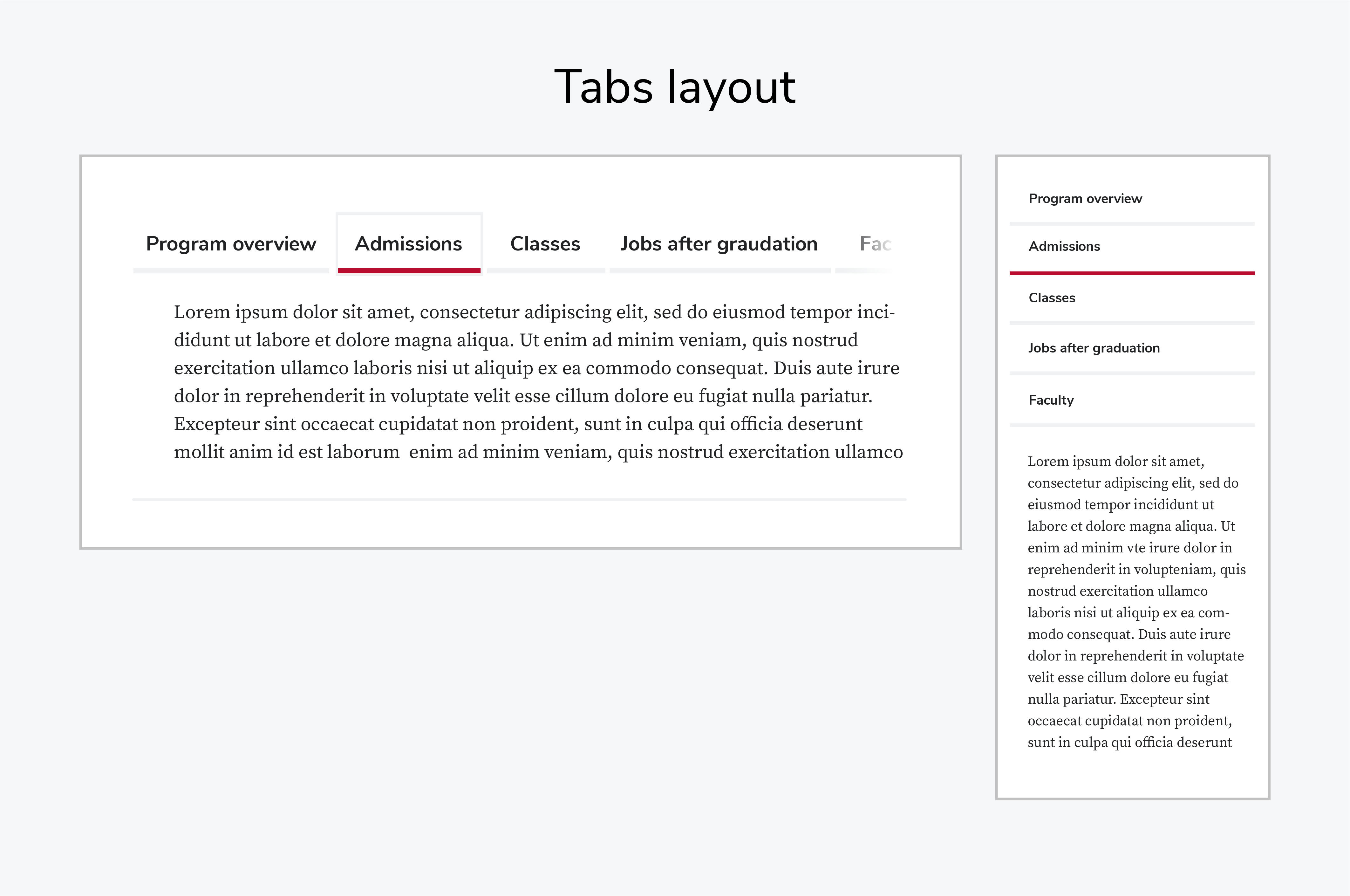 On desktop (left), Tabs display horizontally, displaying content directly below the tab set. On mobile (right), Tabs stack vertically, increasing the distance between the selected tab and its content — especially when there are more than five tabs.
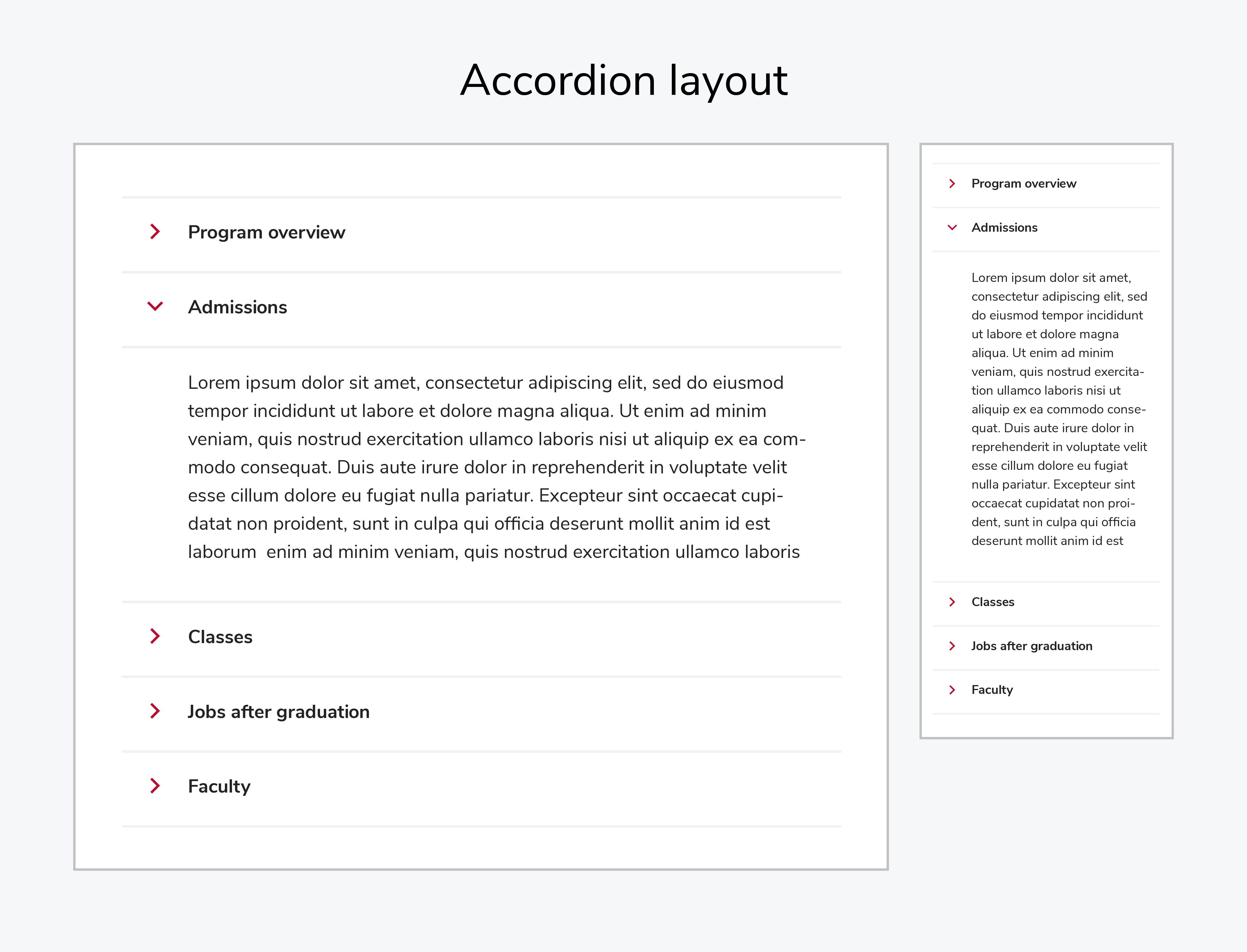 On desktop (left), an Accordion menu displays collapsible sections stacked vertically. On mobile (right), an Accordion menu follows the same pattern in a narrower layout.
What we tested
We ran task-based usability tests to assess how easy content was to find in Tabs and Accordions, how clearly the interface was understood, and where interactions cause confusion or extra effort.
Test 1: Unmoderated comparison
In an unmoderated test, we asked 27 participants (both internal and external to Ohio State) to review two short videos: one with an Accordion and one with a Tab set.
Results were nearly split in a desktop view:
- 14 chose the horizontal tabs.
- 13 chose the accordion model
We also asked the respondents, “Which version did you prefer?” Sixteen users said they preferred “A page with 8 menu items displayed with options to see additional info under an accordion link.” Only 11 said they preferred, “A page with a horizontal tab menu that featured 8 menu items.” So, their stated preferences did not match the choices made in the preference test.
The results didn’t point to a clear winner. This test had a few limitations — there were no voice-over explanations, no opportunities for follow-up questions, and the eight items visible in a horizontal tab were not all visible in the accordion view. This test was on a desktop view.
Test 2: Moderated mobile test
Next, we tried a moderated test. We asked Ohio State employees to review two similar videos in a mobile experience. These videos included voice-over.
- 5 of 8 participants preferred the tab menu, which was no longer horizontal, but appeared as a vertical menu. However, those users struggled to see the content change beneath all 8 menu items when tabs were clicked.
- 2 participants felt the Accordion contained too much content.
Heatmaps provided more insight
To validate what we heard in the second test, we reviewed mobile heatmaps to see if users were failing to notice content change below the Tab set, and “rage clicked” —clicked the same tab repeatedly as if no content changed. The heatmaps showed two things:
- More rage clicks appeared in the higher tab-menu, in mobile views.
- Fewer overall clicks occurred on mobile view of the tab-menu, compared to the desktop view, during the same period.
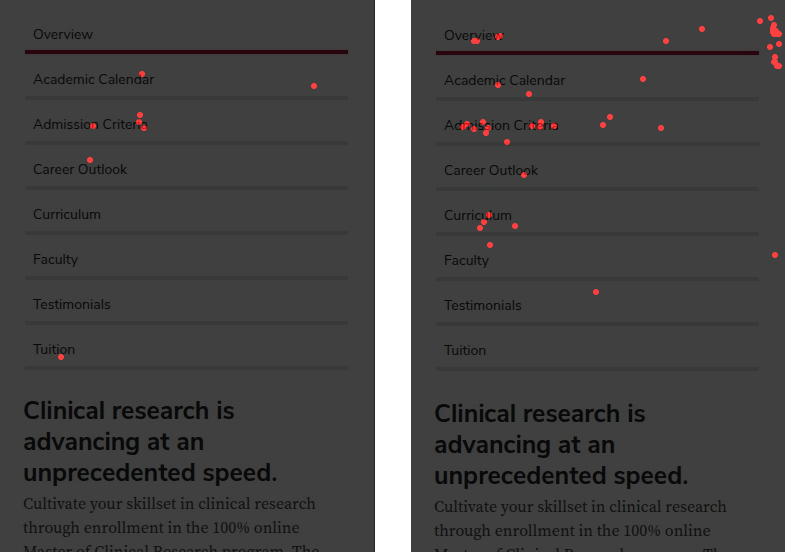 Here are heatmaps from two different webpages showing the same accordion component. Multiple red dots appear on and around the accordion headings, indicating rage clicks from users repeatedly tapping the items, likely because they did not notice the content changing below the accordion.
Options beyond Tabs and Accordions
This example included long content — career outcomes, curriculum details, faculty highlights, admissions steps — which was almost 4,000 words on one page. That’s a lot to consume on mobile.
In content-heavy experiences like this, content may be better suited for separate pages instead of grouped into tabs or accordions. Separate pages allow the content to have a clear purpose, meaningful metadata, and breadcrumbs that support SEO, while also making content easier to scan.
Another option is to edit ruthlessly. Less content may solve more problems than additional navigation.
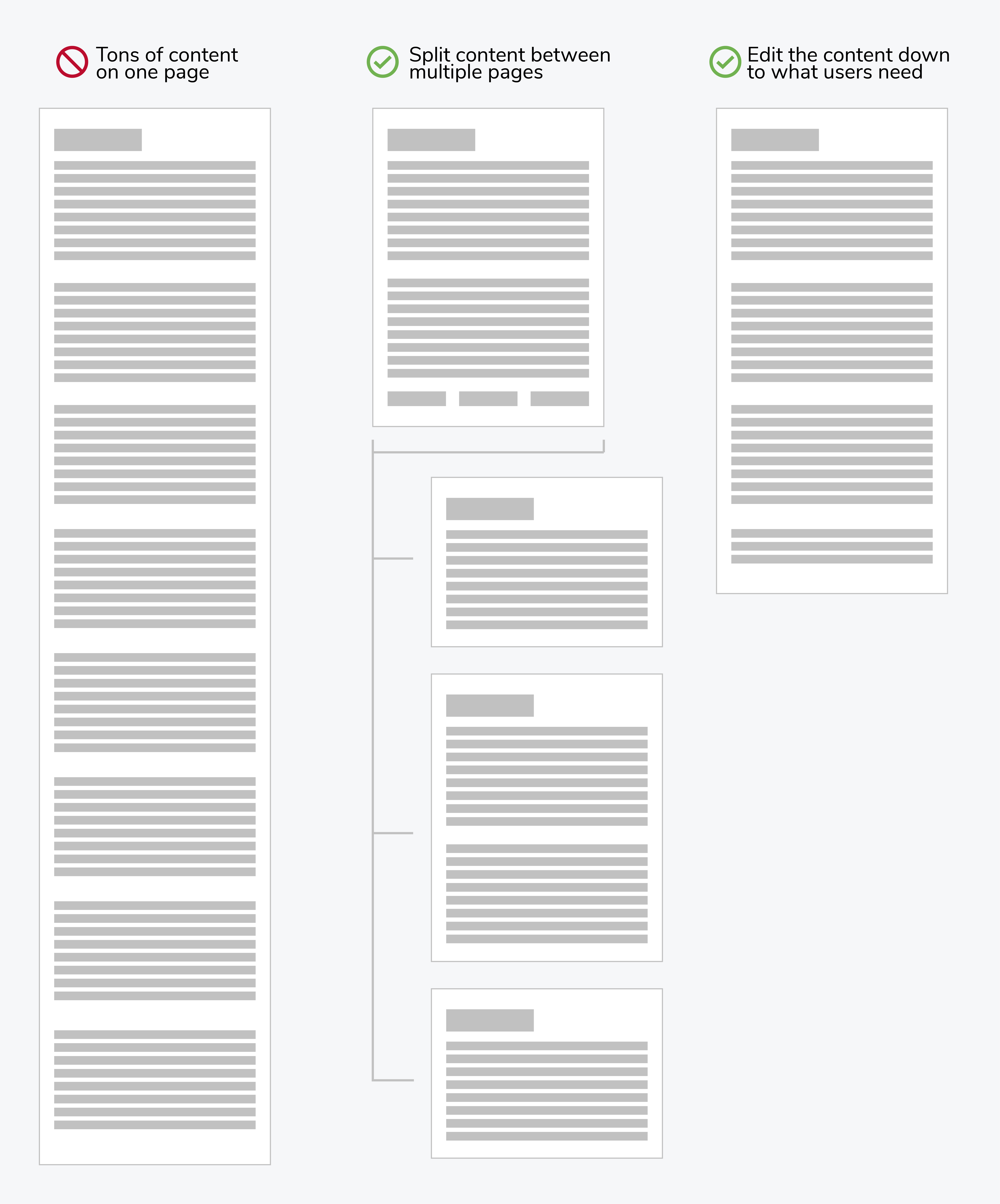 Long, text-heavy pages (left) are difficult to scan – especially on mobile. Splitting content into focused pages (middle) or editing it down to what users need (right) can improve clarity, SEO, and overall usability.
Our guidance for Tabs and Accordions
- Place Tabs beneath the primary content area. Information within Tabs is intended to support — but not replace — the main content.
- Users want menu choices — but they need to see content change when they click to see more. Whether it’s a Tab or Accordion item, make sure the content changes are in the field of view, especially on mobile.
- Limit Tab menu items to 5, which will reduce the amount of space it takes up in the mobile field of view.
- Use analytics and heatmaps to identify low engagement on Tab items. Consider if that content can be removed. Microsoft Clarity or CrazyEgg heatmaps provide insight.
- Reduce your body copy. Use an AI assistant to cut your copy in half and determine if the copy is still sufficient. If copy exceeds 2,000 words, revisit the information architecture.
- As with Tabs, place Accordions beneath the primary content area. Information contained in Accordions is intended to support — but not replace — the main content.
- For both Tabs and Accordions, don’t hide critical information within these components because they might be overlooked by the user.
Share your opinion
What do you prefer: Tabs or Accordions?
Take this short test and tell us your opinion. Comment in the UX Community of Practice Teams Channel
We’ll discuss the results at the next UX Community of Practice meeting.
Try the user test