
Redesigning the College of Public Health website meant untangling years of content, modernizing design and improving usability. Relaunched in July 2025, the site reflects a collaborative, campus-wide effort that integrated the BUX system to deliver a flexible, user-centered experience.
An academic website redesign is no small undertaking. You must manage years of accumulated content, resolve design styles that come and go and harness the expertise of the many people who have deep knowledge of the programs and opportunities for prospective students — our primary, but not sole, audience.
The College of Public Health website has evolved as a tool to promote education, research, advocacy and service since the college formed in 2007. New programs, curriculum sheets and other complex documents increasingly made it difficult to manage website maintenance and provide an easily navigable experience to our users. Small changes would require heavy coding lifts, special requests would take over website standards, and design and user experience had become an afterthought.
Our website needed a modern makeover, leading to a fully redesigned website that relaunched in July 2025.
To make this happen, we had to collaborate with a variety of colleagues at the university and within our college, manage a complex project, work with our editorial leadership on significant content updates and integrate the BUX design system.
Partnerships and stakeholders
The first thing that we knew was we couldn't do this alone. Our Communications and Marketing team is just four people. We have the skills and expertise to accomplish a redesign in-house, but we knew others would be critical to our success.
We sought expertise and insights from important stakeholders, including faculty leads and student services, at key points to keep the project on track. We also partnered with Ohio State Marketing, which provided essential analysis and perspective on our site. They advised on a simpler navigation that set clear organization for our pages and content. They also designed content-specific templates which transformed our existing pages into a layout which is visually consistent with Ohio State's brand guidelines.
Once we reached near-completion of our new site, we assembled stakeholder focus groups, including students, staff, faculty and leadership. These groups tested the user experience of the updated site and provided feedback. This pre-launch exercise was effective in identifying improvements and some navigational struggles that needed to be addressed before going live.
Project management
Using software to track steps in the redesign enabled our team to prioritize, group and assign tasks throughout the project. Having only one technical person on the team did cause challenges to manage project progress. Many of the goals of the redesign were interconnected, making it difficult to "show" progress in our chosen project management software. While I worked on technical elements to upgrade our CMS or simplify the BUX integration for non-technical users, my colleagues leveraged AI tools to assist in other technical tasks. For example, we used AI to create scripts that identified the images and documents available on the website to bring only those into the latest version of Drupal — a huge time saver for the amount of content on the old site.
Content updates
A key update made during our redesign was a complete refresh of our academic content. Our new design system required that we manually move over all our page content, so we decided to take the opportunity to refresh everything. As you might imagine, this was no small task — but a comprehensive plan, tracking every page in one big spreadsheet and using a "Keep/Kill/Update" exercise helped us track:
- Pages that could be removed
- Pages which needed content review (and their review status)
- Pages which were ready to be moved to the new site
- Updated URLs — with the new navigational structure, we started fresh with page links. This spreadsheet tracked both the old and new URLs, enabling us to create redirects for all pages automatically. This was key in ensuring the redesign was frictionless for our users, especially those who are frequent flyers.
- Additionally, we were able to improve our site's accessibility by auditing the many files (mainly PDFs) that had accumulated over the years and retaining only what was necessary. This included many conversations and compromises with internal partners who created them.
Design system integration
When I started in my role, my team had been without a technical person for several months but still wanted to keep up with the BUX design system. They resorted to manually copying and modifying BUX HTML code and were doing a pretty great job, all things considered — but it was clear we needed a better system.
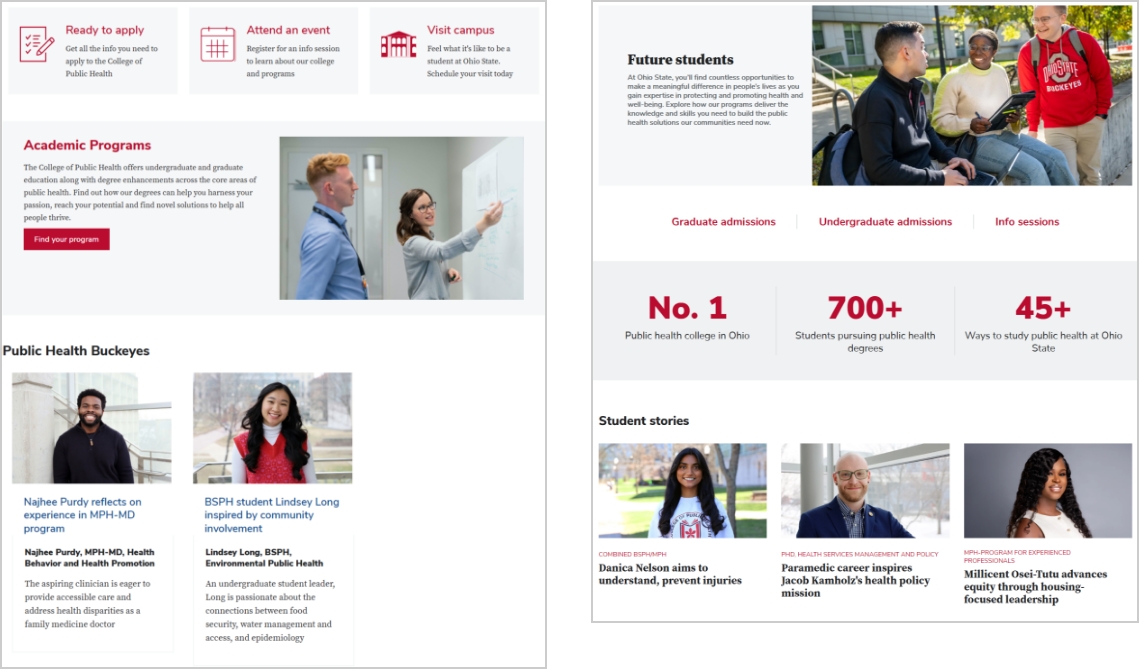
 Compared with the previous homepage (left), the redesigned version (right) more clearly conveys the mission of Public Health through scannable storytelling, compelling data points and intuitive pathways to key interior pages.
One of the first things I tackled was figuring out how to make pages easier to update while allowing us to build with BUX components. Our website uses Drupal, so there were quite a few existing systems out there for "componentizing" content.
The Paragraphs module stood out because of its setup ease and the visual editing experience, which was especially valuable as it allowed almost anyone to make updates. This mini project took several months to get production-ready, but it worked out well because it coincided with the official release of BUX 1.0, offering us a set of polished components to build our pages. We gradually "released" our new BUX pages, focusing on the most outdated. Through this process, we made small bug fixes and improvements, setting the stage for a complete rollout.
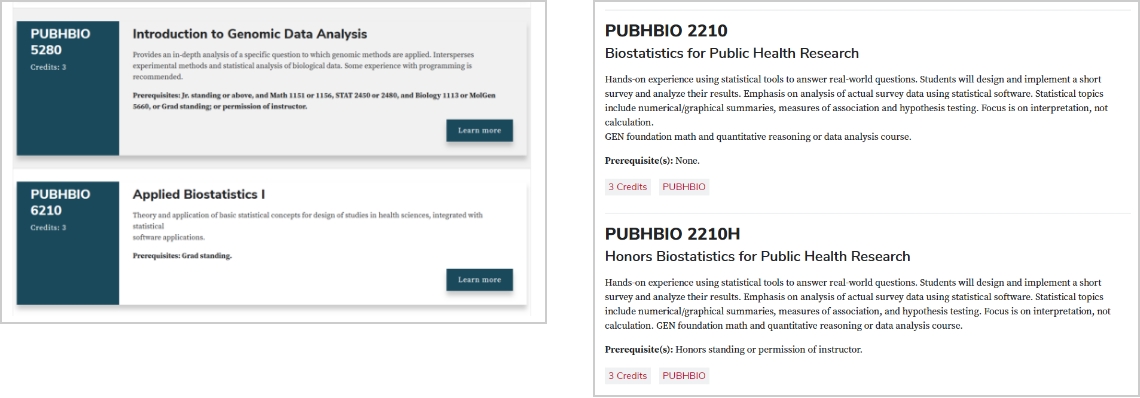 Compared with the previous course UI (left), the redesigned version (right) relies on primary colors and a single-column layout to emphasize typography and deliver a consistent, mobile-friendly experience.
 Previous components (left) were built using legacy web brand standards. The integration of the BUX design system brings pre-built components (right) that create a more consistent experience across university websites.
Migrating from hand-coded HTML to component-built pages had to be done manually, but content updates called for manual review regardless. Automation was used in many steps — but pages weren't one of them. I built most components in Drupal to be 1:1 with BUX components; it was my goal to align our design system as much as possible. Informed by the templates provided to us by Ohio State Marketing, we built our pages to be familiar and consistent with other Ohio State sites. The "drag-and-drop" editor made creating pages painless and allowed us to quickly make updates after receiving user feedback during testing.
The visual upgrade was very well received when we launched last July. We consistently heard the design was clean, easy to navigate and intuitive. There are many time-saving benefits for my team, from simple tasks like updating the date for an academic deadline to updating a component across the entire site through one template change. A component-based page builder also necessitates that we discuss and justify customizations before implementing them. The components are limited to a specific set, and each component can only be customized through defined fields, meaning it's impossible to "break" something or modify it arbitrarily without code updates. This ensures we stay consistent with the Ohio State brand.
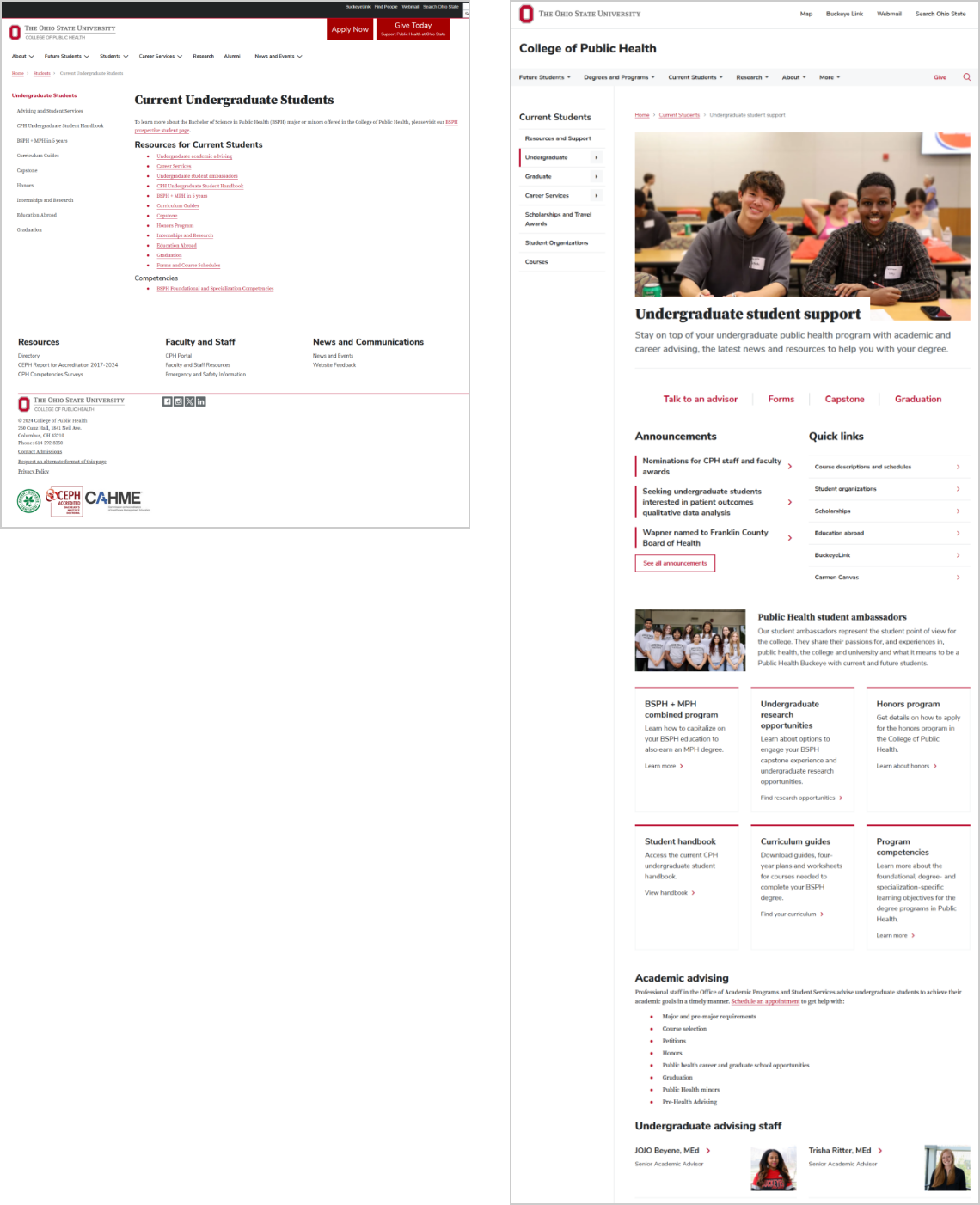 Compared with the previous page (left), the redesigned Current Undergraduate Students page (right) features stronger visual hierarchy, grouped links and visible staff information that creates a more approachable experience.
The impact of BUX
Building our pages using the BUX design system makes updating content simple. Most of our use cases have already been considered in other units using BUX, allowing us to match existing patterns instead of starting from scratch. Additionally, the BUX website clearly outlines how each component is intended to be used, further simplifying the process of deciding how to display content.
Twig files provided by BUX can be used directly within our existing architecture, making integration easy. As a developer, I can almost always accomplish what I want using existing BUX components, saving countless hours of designing something myself. Having a central design system allows me to draw inspiration from other Ohio State websites, something rarely done in the past.
Reducing duplicative work across many units while simultaneously creating a unifying brand look benefits all visitors of Ohio State websites, including ours. To see the results of this approach in action, visit the redesigned College of Public Health website and explore how BUX brings greater consistency, usability and clarity to our web experience.